

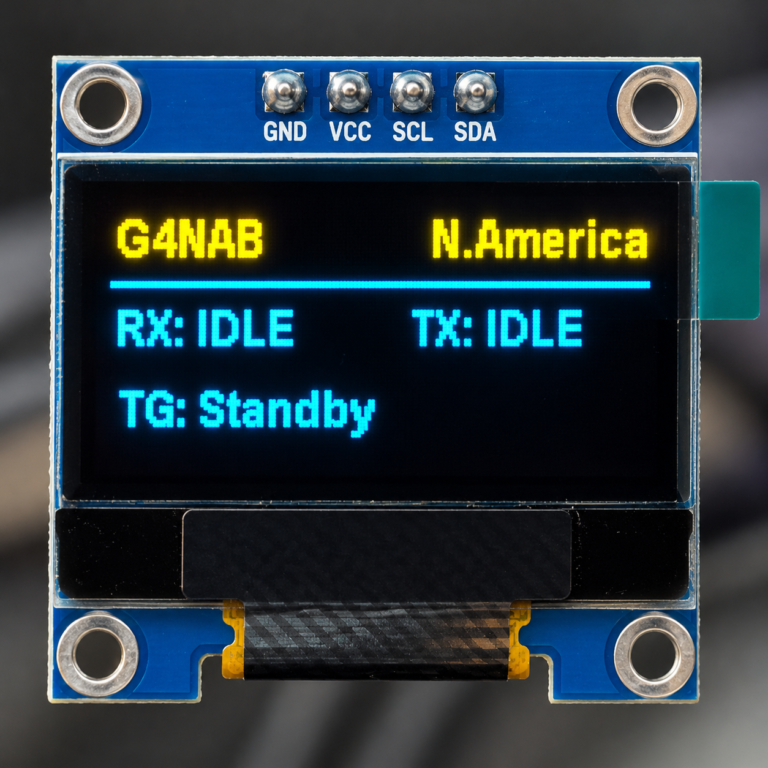
SvxLink-OLED in operation
Generally speaking, most installations of either digital or analog RF units come with a viewable Webserver dashboard, such as Pi-Star, or now for SvxLink.
But many small personal MMDVM Hotspots arrived with 0.96 inch OLED screens that gave the bare essential information for at-a-glance notification.
I am firmly in the camp of “who needs a display if it’s in a cupboard?” but recently I’ve been asked if it could be done.
A basic svxlink installation doesn’t have any output. It is designed to run headless, and react to RF and network connections.
Only by building an extensive interface to examine the inner workings and the journal, has it been possible to visualise the goings-on.
The visual dashboard known as in version 4.1, has gone through some changes moving from a well-known Apache2/PHP Webserver to now Python3/Flask gives not only a window, but a full editing suite to SvxLink, that can not only be local but remotely operated, with necessary security precautions.
So why a tiny little OLED?
Because we can!
As in the SvxLink-Touch, and the SvxLink-LCD, I had to find a way to read the necessary information from the active unit, without disturbing the day to day running of it.
With the OLED libraries this is relatively easy, just tapping off the required information from svxlink.conf and the running log. Unlike the SvxLink-Touch and SvxLink-LCD, that have the ability to interact with SvxLink, the OLED is merely a passive readout but enough to give an indication of activity at-a-glance, without resorting to other material.
Here you will find the instruction to install the OLED device to a working SvxLink Unit.
https://github.com/f5vmr/svxlink-oled#README.md