

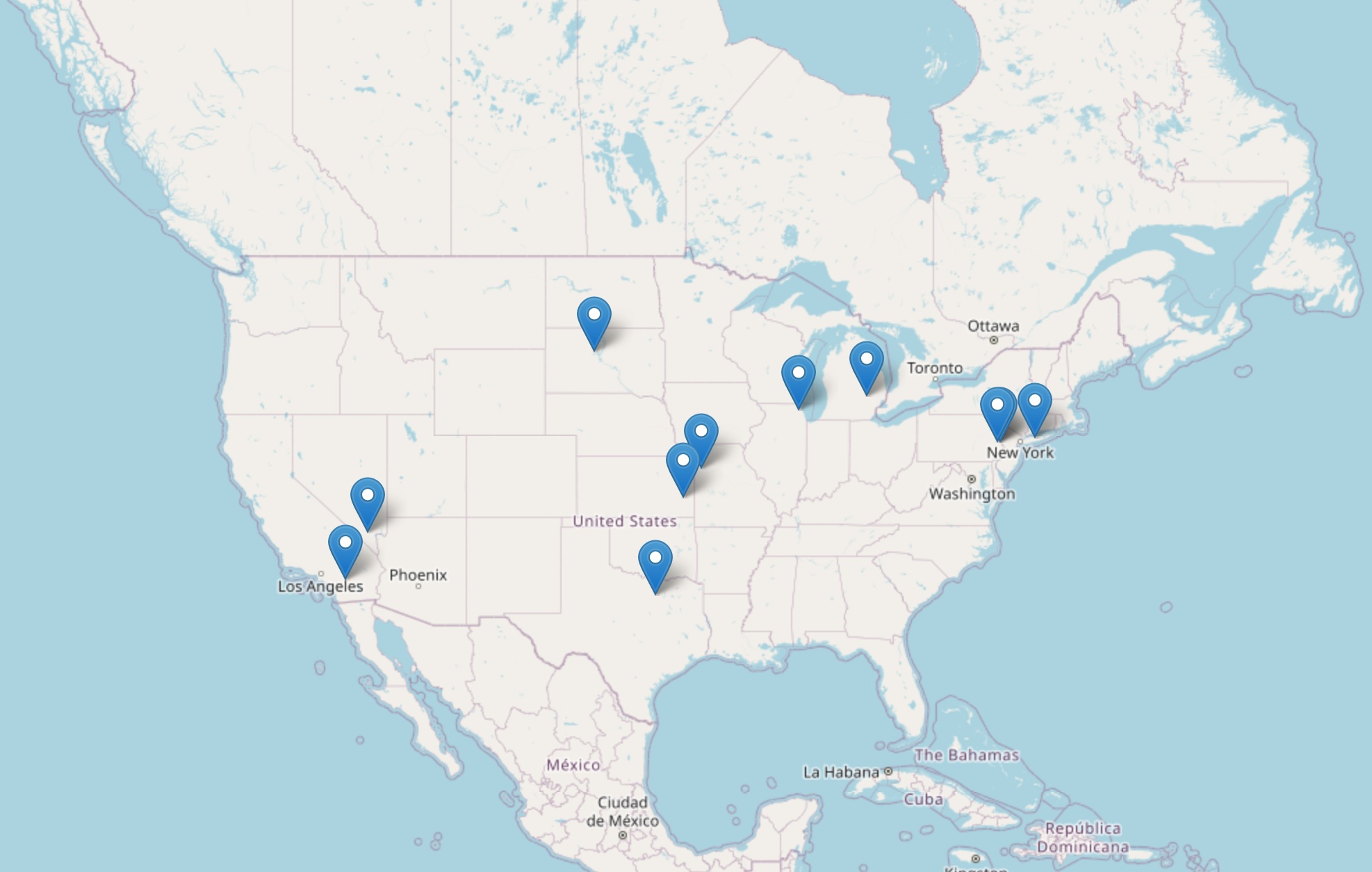
Coming shortly at the north.america.svxlink.net will be the svxlink image for ICS 1X, 2X and 4X repeater cards, upgrading your previous OpenRepeater (SvxLink Ver:17) installation to SvxLink Version 25.
As you can see from this image, there’s plenty of room to join in.
The image currently available on this site is not enough for the ICS-ctrl.com cards as there are software changes required, but if you have a raspberry pi, a suitable interface and a spare ex-PMR radio for the amateur bands, or an Hotspotradios.com USB device or an Aursinc (allstar) type device from Amazon, or an unused ShariNode, then you too can join this new and exciting development package, at a couple of clicks and a willingness to learn just a little from instructions provided. I am not asking you to abandon AllStarLink if you have it, merely because you can, as SvxLink can interface entirely succesfully. Ideally you can use this device https://temporarilyoffline.com/products/toads-digital-interface?variant=42091745378438 which is frankly all you need…… And reasonably priced too.
If you have had ORP, then this new package will change everything. especially when I add the ICS image.
What SvxLink Version 25 contains.
- Up-to-date repeater control for both duplex and simplex.
- Continuing support for the EchoLink Module aboard.
- Passive Linking to a central SvxReflector that provides the connectivity.
- Dynamic Linking to others in the network and selected attached Networks Links, with Analog Talk Groups.
- Metar Information on demand.
- A full WebServer Dashboard for the System Operator to continously adjust and monitor activity.
What does this mean for a Repeater Keeper?
- The Sysop maintains everything on his repeater, the ability to monitor and communicate how they want the repeater to work. Just two rules. add Talk Group 3100 to the monitor list, and keep EchoLink local on your repeater.
- He learns how this new version of SvxLink can not only help the local community, but provide a wider world on which to communicate, using the system of talkgroups that he or the user can choose to interact with other repeater and nodes.
What’s different then?
- By adding TalkGroups to the monitoring list in the SvxLink configuration, this is the first step to the dynamic connectivity. We already have a Talk Group system in place for each state or province. So for example if all the SvxLink repeaters in California added 3106 to the Monitor Talk Group list, then if a user activated this group from one repeater, then all the repeaters would activate, extending the users range, as a super-repeater. If an individual repeater keeper did not want it, the sysop would simply not monitor it. But where’s the fun in that.
- A user can dial any Talk Group on a live repeater, and activate any distant repeater carrying that talk group. So an intrepid user on AK6BL who had a pal in Georgia on a repeater monitoring 3113, the user could call by dtmf 913113# and all the repeaters in Georgia would activate, if they were not already busy. If the correspondent in Georgia suggests a different TalkGroup to which they could QSY he selects 92# by dtmf and he and his correspondent would move to a random talk group where only the two repeaters involved would follow. Anyone else who was listening at the point of QSY that wanted to follow the conversation, would DTMF 93# on his repeater and follow the conversation.
But I can already use AllStarLink and talk with a bunch of people?
- So you can, but so can SvxLink. The SvxReflector has already a bunch of Fixed Talk Groups connected to popular AllStarLinks, so that you can have your cake, and eat it too, all in one place.
- To change AllStarLink nodes is as easy as changing talkgroups in the SvxReflector. If there isn’t a link for your favourite AllStarLink node, then suggest it to the SvxReflector Sysop.
What do I need to participate in this SvxLink?
- Your legitimate Amateur Radio Callsign. There is no ‘registration’ just an email to get a password for the SvxReflector.
- A willingness to learn, and a small amount of instruction-following to configure the software by menu. Remember the list of equipment above? you need that too.
- A little diagnostic skill to tweak where necessary as each installation may be slightly different.
What do watch out for?
- If you go to the source of svxlink, then you could find it a challenge. The image has done that for you and packaged it to help. Unless you are experienced in compiling software, avoid that route.
- If you find a so-called svxlink-server package on line, that too will not get you what you want, except a world of pain. That package may have no correlation to the current repository, and will not have the same capability.
- Follow the instructions explicitly and you will have a working unit in 20 minutes, a little longer if there are issues not relating to the software.
The software is taken from the source on github – Tobias Blomberg SM0SVX, without whose work, this package would not exist.
It was built as open-source and on its own is hard work, and does require study. But I have done that part to provide an almost-ready image.
Even then it is not Plugn’Play, but with the menu and dashboard, it has been brought to the stage where it will work instantly for the majority, and work 100% for everyone once the difficulties have been ironed out. I make no apologies for any of it. It has been a labour of love, and I dedicate it to the original author, without whom SvxLink would not even be a name.
Earlier versions exists, as do later versions, but for ease of use, Version 25 has provided backward and forward compatibility. Built on Raspberry OS (Debian 12) Bookworm, it has long term support.
Debian 13 (Trixie) on Raspberry has some inherent failures, such as the reduced ability to provide full control of the NMCLI and WiFi hotspot generation, due to addition of ‘Extra Software’ to make it into the Ubuntu world. It failed in my opinion, stifleing any development especially for the Raspberry Pi 02W.
Special thanks go to the back-office administrators Lee RILEY M0YDG for the provision of the server, and whose support goes above and beyond. Also thanks to the administration team Josh M0DIT Andy GM3AND, and Simon G4USP whose early support in the first place, gave impetus for the growth of the SvxLink Network.