

Svxlink-Bootstrap
SvxLink-Bootstrap provides a safe, guided route from a clean Debian server, Raspberry Pi OS or NanoPi-Neo installation to a complete SvxLink-Dash V4.0 system running Svxlink version 26.05.1. Not withstanding the ease at which an Svxlink node can be built, it is still incumbent on the installer to learn more of the structure of svxlink as a process, not just an appliance. There are no images. You just provide the operating system and run the software.
Other versions of Linux such as Red Hat Fedora Gentoo Arch Alpine that do not follow the same command structure are unsuitable for this installation.

SvxLink-Bootstrap from a single bash command in a terminal, identifies the operating system, release, processor architecture and hardware platform, then selects the exact compatible SvxLink 26.05.1 Debian-style .deb package from a controlled manifest. Each package is downloaded from the project’s GitHub releases and verified against its recorded filename, size and SHA-256 digest before installation. When this completes in the terminal, you are provided with a link to paste into a PCs Internet browser on your network, that presents a Web Graphical User Interface showing the course of action. The open terminal continues to show the current transactions. It must remain open, while the software is running.

Each .deb package is produced from the original svxlink software as published by Tobias Blömberg SM0SVX.
The bootstrap also detects SvxLink installations that were compiled or installed manually and are therefore not recorded in the Debian package database. Its behaviour is deliberately conservative:
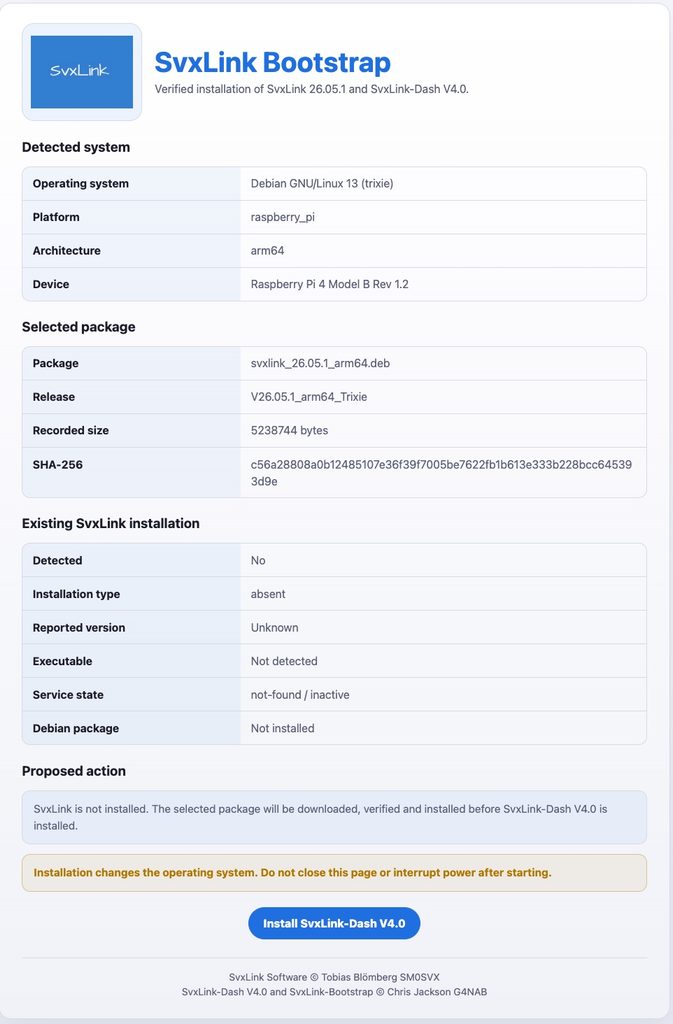
If SvxLink is absent, the correct package is downloaded, verified and installed using apt.
If SvxLink 26.05.1 is already installed by apt, package installation is skipped.
Before an existing supported installation is adopted,
/etc/svxlinkand/etc/default/svxlinkare copied into a timestamped backup beneath/var/backups/svxlink-bootstrap.If another or unidentifiable SvxLink version is detected, automatic installation stops for manual review, therefore it is recommended you start with a clean OS. Versions 19 and before are not suitable for upgrade, as they are on Jessie, Buster or Bullseye that do not have the dependencies and in any case, deprecated.
System-changing operations require root authority. If you have a user ‘pi’ then that is OK. Remember to change the default password.
Download-only and read-only compatibility checks remain available separately.
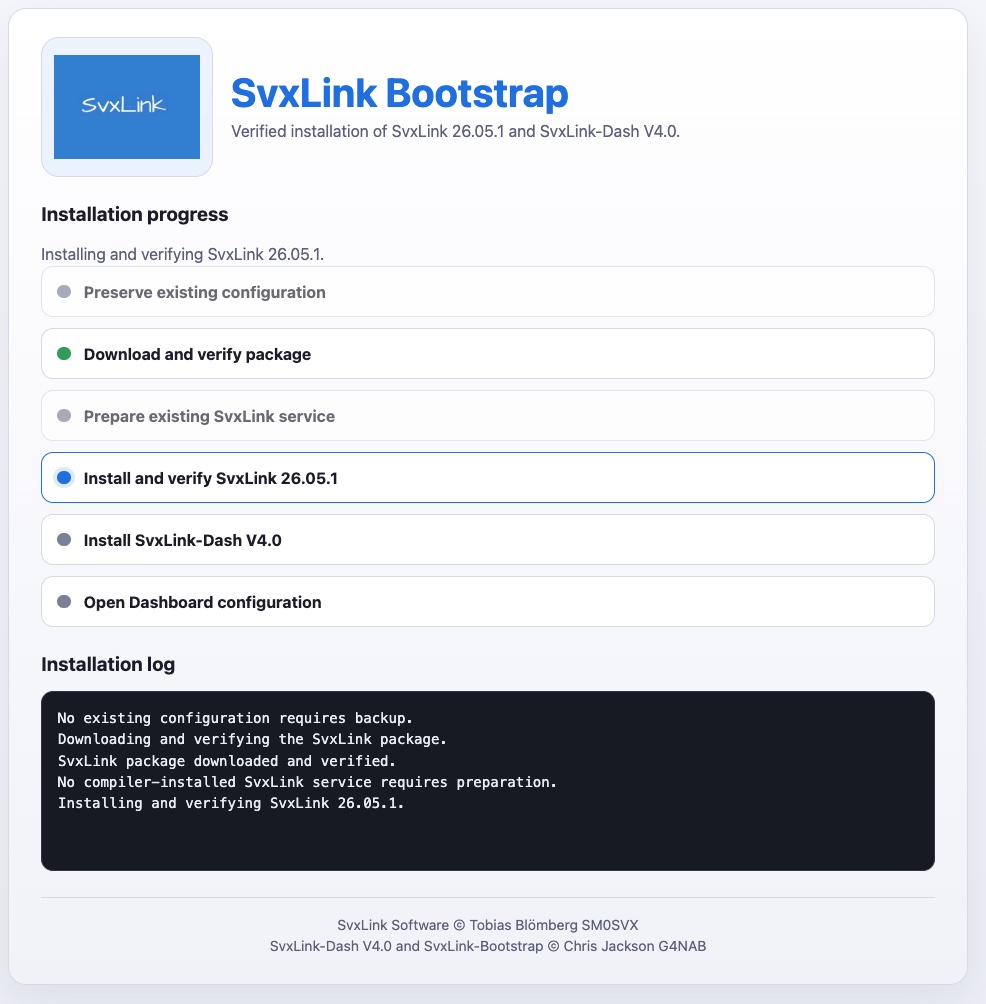
After SvxLink is prepared, the bootstrap obtains SvxLink-Dash V4.0 and runs its established installer. A small one-line launcher will also install essential prerequisites such as Git, Python 3 and trusted certificate support on a minimal operating-system installation.
As the Svxlink-Bootstrap completes the intergration, it hands over the Browser to the dashboard for the configuration of Svxlink. At this point, the open terminal may be exited.
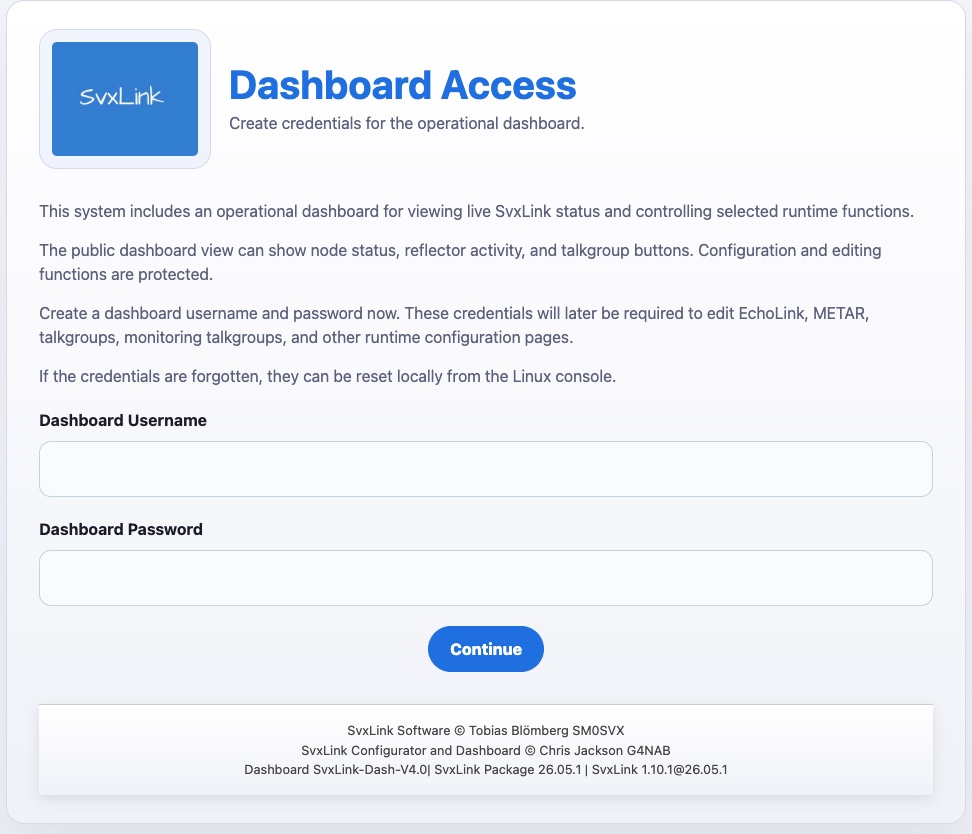
SvxLink-Dash V4.0 — From Installation to Operational Appliance
SvxLink-Dash V4.0 transforms a supported Linux system with SvxLink 26.05.1 into a configurable and operational amateur-radio controller.
The guided workflow collects the installation identity, callsign, regional settings, hardware platform, radio interfaces, sound devices, GPIOD assignments, receiver and transmitter parameters, squelch method, identification settings, modules, reflector access and operating preferences.
It supports conventional single-port simplex and repeater installations as well as independent multi-port systems. Each enabled port has an explicit radio role and its own receiver, transmitter and logic configuration. A selected primary port supplies the installation-wide identity while validated topology determines which ports are independent, locally linked or connected to the reflector.
Reflector configuration distinguishes clearly between:
No reflector operation.
Federation Family Protocol 2 access using an issued 16-character password.
Independent Protocol 2 reflectors using their own authentication requirements.
Protocol 3 reflectors using X.509 certificate identity and reflector-manager approval.
The dashboard renders the required SvxLink configuration from the validated model, including receiver, transmitter, SimplexLogic, RepeaterLogic, modules, reflector routes, local links, macros, DTMF control and event-tone customisations. Installation-wide courtesy, idle and closedown tones are applied consistently to the deployed logic files.
Node information and optional LocationInfo are handled separately. The system can record decimal, degrees-minutes-seconds or Maidenhead coordinates, RF and antenna information, and signed transmitter offsets, then generate /etc/svxlink/node_info.json and the appropriate LocationInfo configuration.
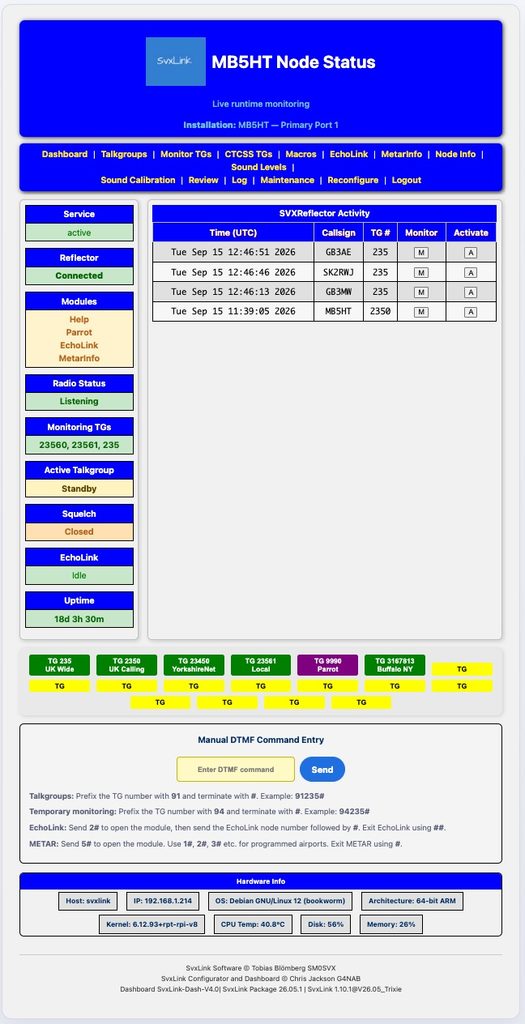
The protected operational dashboard provides:
Live SvxLink and reflector status.
Per-port radio and squelch state.
Active and monitored talkgroups.
DTMF and eligible CTCSS talkgroup controls.
EchoLink and METAR controls.
Macro management.
Live log viewing.
Sound-level adjustment and calibration.
System, memory, disk, temperature and uptime information.
Protected reconfiguration and maintenance functions.
Rebuild produces a coherent set of managed configuration files, warns that manual changes to those files may be overwritten, deploys the required event logic, and restarts SvxLink when requested. Configuration-only builds can also be performed without requiring the service to become active.
The finished result is a self-contained SvxLink appliance suitable for simplex-node or repeater control. The operator can configure, rebuild, monitor and manage the installation through a browser while retaining access to the underlying standard SvxLink configuration and services.
SvxLink 26.05.1 is and remains so, entirely the work of Tobias Blömberg, SM0SVX.
SvxLink-Dash V4.0 and SvxLink-Bootstrap are developed and maintained by Chris Jackson, G4NAB, to make that software practical to deploy and operate across supported radio installations.
Editors note: Whilst I have taken great pains to establish the cleanliness of the code within these two application, in that I have debugged it extensively, there may still be a chance that there may be an occasional glitch. Please tell me and not the world, in order that I might fix it.
Svxlink is entirely bug-free as I have used it for many years, Tobias Blömberg SM0SVX has seen to that, and the svxlink V26.05.1 software in this suit of operations is entirely his work, I have only provided the wrapper.
73 Chris G4NAB