

Not unexpectedly, SvxLink continuously evolves under the superb leadership of Tobias Blömberg SM0SVX.
I was already on the case when this new version arrived, instantly incorporating it into the latest of the Dashboard Builds.
I have made it a passion to understand the software and the most simple of ways to deploy it either as a Hotspot or Repeater, with or without connection to a Reflector system, with or without EchoLink.
EchoLink has a long history evolving from i-Link, giving Hams the world over access to stations and conferences, that conditions or circumstances make it difficult or sometimes impossible.
Tobias saw this when first developing SvxLink, initially as a linux EchoLink. SvxLink since its inception has developed into a Ham-Built, Ham-Purposed Repeater control software with EchoLink at its heart, Unlike other products that have come from commercial sources, SvxLink stands out as the one product that can fit all Ham needs, provided the intracasies of its installation can be overcome. This hasn’t gone away, as it is encouraged users to learn more about svxlink in case of difficulty or individual needs. https://groups.io/svxlink is the place to go for your research.
In my experience the main complaint I have encountered is that for the Ham that has no real computer experience the compilation and installation precluded it from implementation over a wider environment, it’s been too difficult! I for one in the early days had to patiently learn and understand the build structure and the philosophy.
Now with full programming facilities in my hands, I can swiftly adapt to providing up-to-date prebuilt software packages with SvxLink – for free – for the less competent, avoiding the compilation stage, giving a one-size-fits-most menu structure that can give a user a working node in minutes instead of days. (I’m not saying it’s perfect, as individuals do like to tweak much like me.)
Today is no exception as the latest release of SvxLink 26.05 shows – I have built this image linked in this article, over a series of weeks, finally incorporating the changes to SvxLink at the last instant.
An important answer to the question, “I already use AllStar, what has the system got that AllStarLink hasn’t”.
Read this article https://g4nab.co.uk/allstarlink-and-svxlink-architecture-philosophy-and-operational-practice/ first, then understand that some of the fixed talk groups in the SvxLink Reflector are AllStarLink nodes. So rather than compete with AllStarLink, SvxLink is a complement. By using SvxLink it implements a passive connection whereby its users can choose live systems provided rather than build a separate system. Being a highly developed Repeater Control system in its own right with high quality audio build it, it is precompiled, and easy to use, avoiding the complexities of configuration of the other, as we have already done it for you in the SvxReflector. Case in point is that the East Coast Reflector is available in SvxLink, as an analog talkgroup.
The instructions are simple to follow but in my experience no one ever reads them, so read them anyway.
This image is however restrictive, in that it can only be presently used in the UK Wide, North America and Australia SvxLink Reflector System. This is not because of SvxLink, but the way in which the Reflectors are managed with a protocol and auto-registration. It can be adapted to other environments, but not having knowledge of their protocol, or cooperation, it will take time.
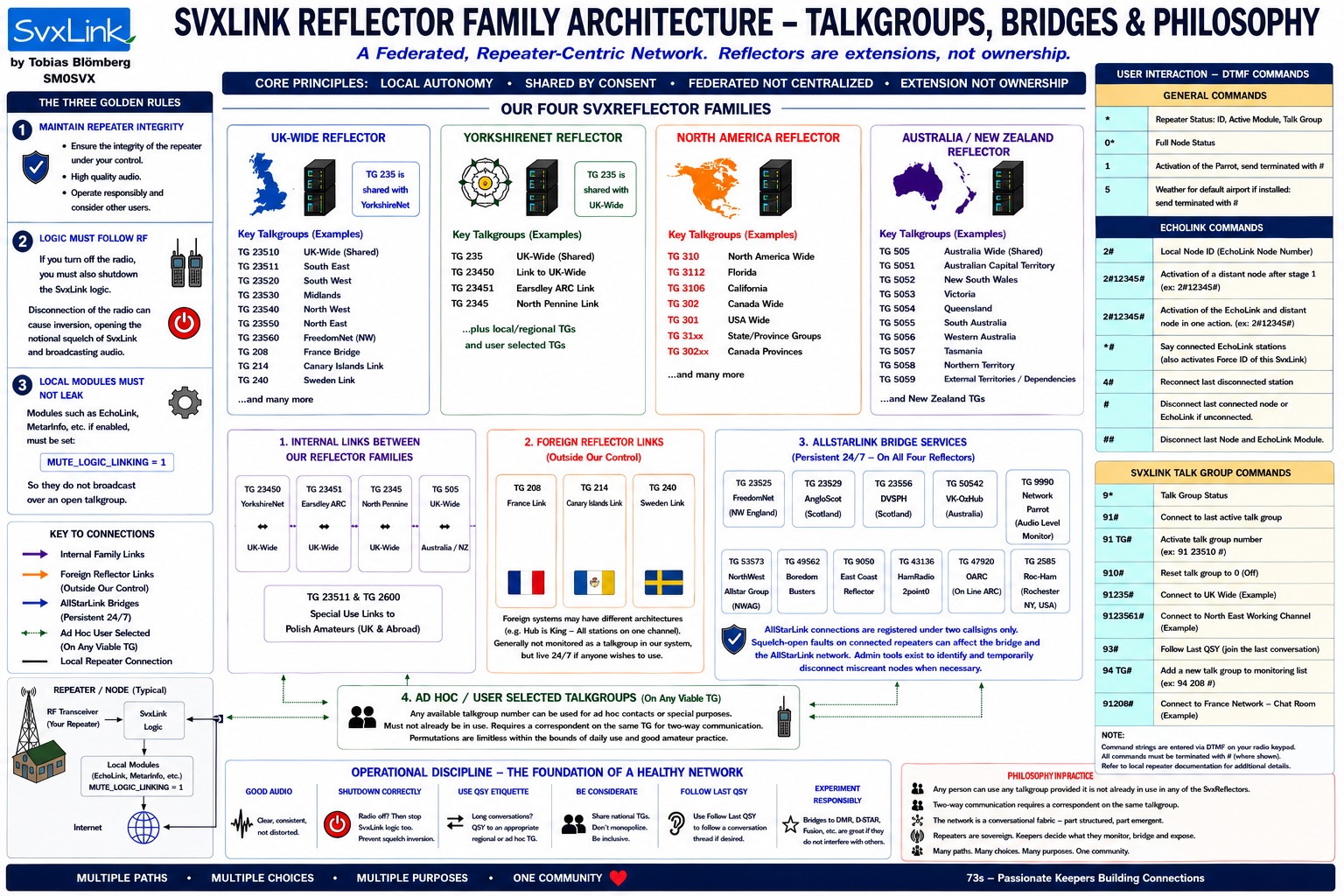
That said, it can be used as a stand-alone unit with EchoLink, and we are a friendly bunch on the UK Wide Family so you can join from anywhere. The three (four) reflectors are linked in with mutually shared talkgroups that works very well.
We have only three rules –
1. Check you node quality before initiating a connection on a talk group.
2. Ensure MUTE_LOGIC_LINKING=1 in the module .conf files, and
3. If you do turn your radio off at night, turn off the software as well as it reverts the squelch operation, and can lock an active talkgroup on the SvxReflector. It means we have to hunt you down and excommunicate you (In a friendly way – Temporarily of course) until you comply.
Mapping information
I find that this page is one of the most useful when determining mapping co-ordinates.
https://www.levinecentral.com/ham/grid_square.php
The Software Package
The link here takes you to a download from where you save the software on a PC (or Mac). Then with RaspberryPi Imager install the package without unzipping to an SD Card of at least 16Gb.
https://github.com/f5vmr/svxlinkbuilder/releases/tag/V3.1.2-SvxLink_26.05.1_arm64
You will immediately notice that this is a 64 Bit build where previously the builds have been 32 Bit. The other difference is that for the most part you will not need to enter the terminal to do any programming.
The drawback to this situation is that the Raspbery Pi 0W, the single core sbc (Small Board Computer) cannot run this image, however any of the 4 core family will do so, although I have not tested it on a Raspberry Pi 5, for the simple reason I do not have one.
So Raspbery Pi 02W and above will run it. It is on Raspberry OS (Bookworm) or (Trixie). Both will run equally well, although the Trixie image is slightly larger.
During the menu, you will be presented with several pages that contain multiple selection possibilties, so be objective and stick only to the selection that you make. If you have a TOADS board or a CM108, then completely ignore the GPIO and Serial settings for example, however by experience to may need to reverse the Active High to Active Low for the squelch. Easy to do – There is a Value VOL_DN for the Squelch detection – simply change it to !VOL_DN if you are an experienced programmer, or follow the menu if you are not.
The program has been written in Python3 with HTML, unlike the previous builds that were a mixture of Bash and PHP/HTML.
Report any bugs, of course. But early signs are, that I have covered most of a single channel simplex and repeater capabilities. If you are looking for something for multiple channels, it’s in the pipeline so to speak.
You start with this
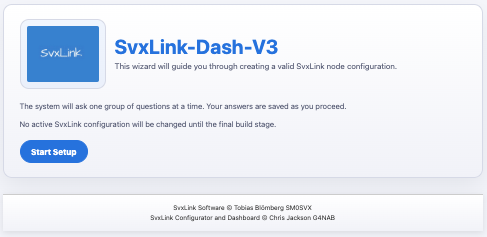
and end up with this
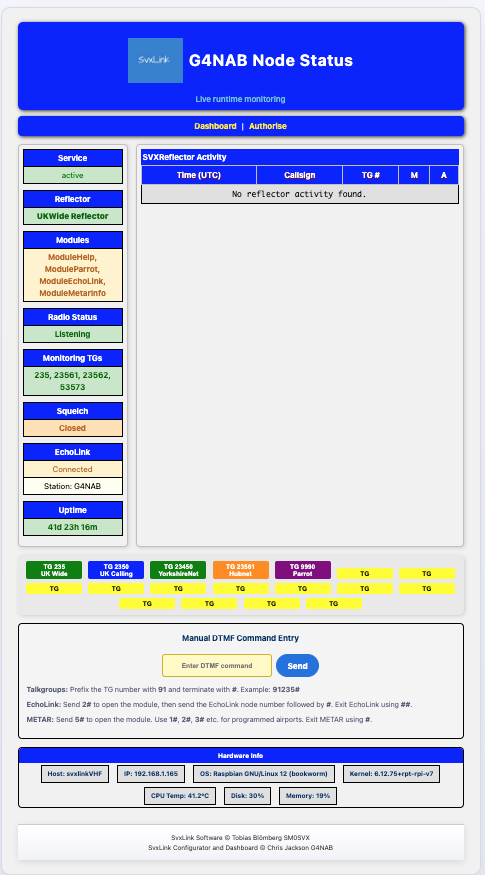
Whereas the previous version of the Dashboard permitted access to live Streaming, this is now available on certain talkgroups on the SvxReflector Dashboard, so no longer required locally. New to the system is displaying Live Callsign information of the Echolink connected station. Initial Feedback from at least one station reports that it works – I cannot say more than that. 73.
I’ve just installed it and it’s working well. Well done, Chris
73 de SM7VMS